

Google Chat ships with solid basics — threaded conversations, Spaces, integrated Meet calls, and (since December 2025) native one-time message scheduling. What it doesn't ship with is recurring automation, team culture tooling, or project management integrations. That gap is where third-party apps come in. This guide covers the best Google Chat apps for teams in 2026, organized by what your team actually needs.
How this guide is organized: we cover the must-have apps for productivity by their core use case — from recurring automation to document management and team culture. Each app solves one specific gap in Google Chat's native feature set.
Why teams add apps to Google Chat
Google Chat's native feature set is intentionally minimal. Google's philosophy is to keep Chat as a communication layer and let Workspace apps (Docs, Drive, Calendar, Meet) handle the rest. That works well for document collaboration — but it leaves a gap for team workflows that live in the messaging layer itself: recurring standups, birthday celebrations, project deadline alerts, and code reviews.
The apps below fill those gaps. Unlike the Slack app ecosystem (which has thousands of integrations), Google Chat's app directory is smaller — which means less noise, but also fewer choices. We've vetted the best tools so you don't have to.
1. Schedule Message — Best for recurring team automation
The gap: Google Chat's built-in scheduling (launched December 2025) handles one-off future sends only. It cannot send the same message on a recurring schedule — no "every Monday at 9 AM," no "every sprint planning day." For recurring workflows, you need a third-party app.
Schedule Message is a Google Chat and Slack app that sends recurring messages from your account — not as a bot. When you schedule a standup prompt via /schedule, your teammates see a message from you, not from "Schedule Message Bot." Response rates are significantly higher when the message appears to come from a real person. If you want more high-performing templates and inspiration, the free message template library gives teams ready-to-copy standups, check-ins, sprint reminders, kudos prompts, and weekly rituals out of the gate. Choosing between the two big schedulers? Read Send It Later vs Schedule Message.
- True recurring schedules: daily, weekly, monthly, custom intervals
- Sends under your name, not as a bot — higher response rates
- Works in Spaces and direct messages
- Huge template library for teams that want more high-performing prompt ideas without writing from scratch
- Slack support included (one subscription covers both platforms)
- Flat plans: $2.63/month for one user, $14.25/month for up to 20 users, $37.50/month unlimited
Best for: team leads automating standups, managers sending weekly updates, HR teams running recurring check-ins.
2. Google Drive — Best for document collaboration
The gap: Missing file access requests or new comments on a critical spec document because they got buried in your email inbox.
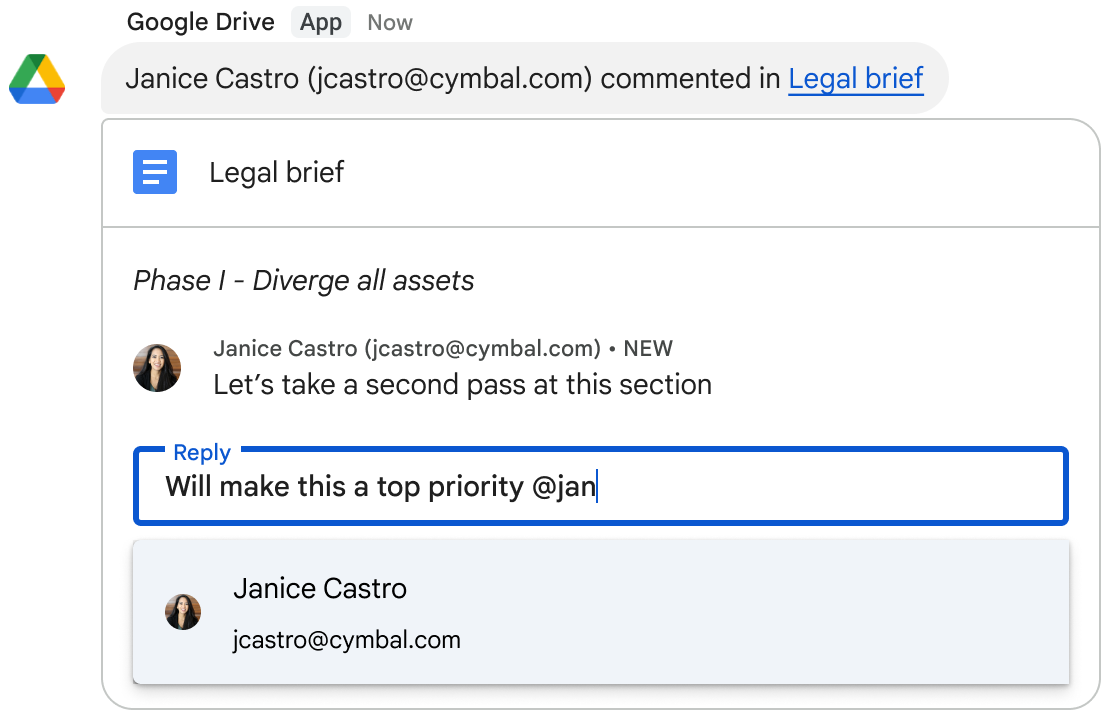
The native Google Drive app for Google Chat is an absolute essential. Instead of relying on email notifications, the Drive bot sends you a direct message in Google Chat whenever someone requests access to a file you own, or mentions you in a comment. You can even grant file access or reply to the comment directly from the Chat message.
Best for: Every single Google Workspace user. If you haven't installed this yet, it's the fastest productivity win you can get.
3. GitHub — Best for engineering workflows
The gap: Engineers spending too much time context-switching between Slack/Chat and GitHub to see if their PR was reviewed, or missing failing build alerts.
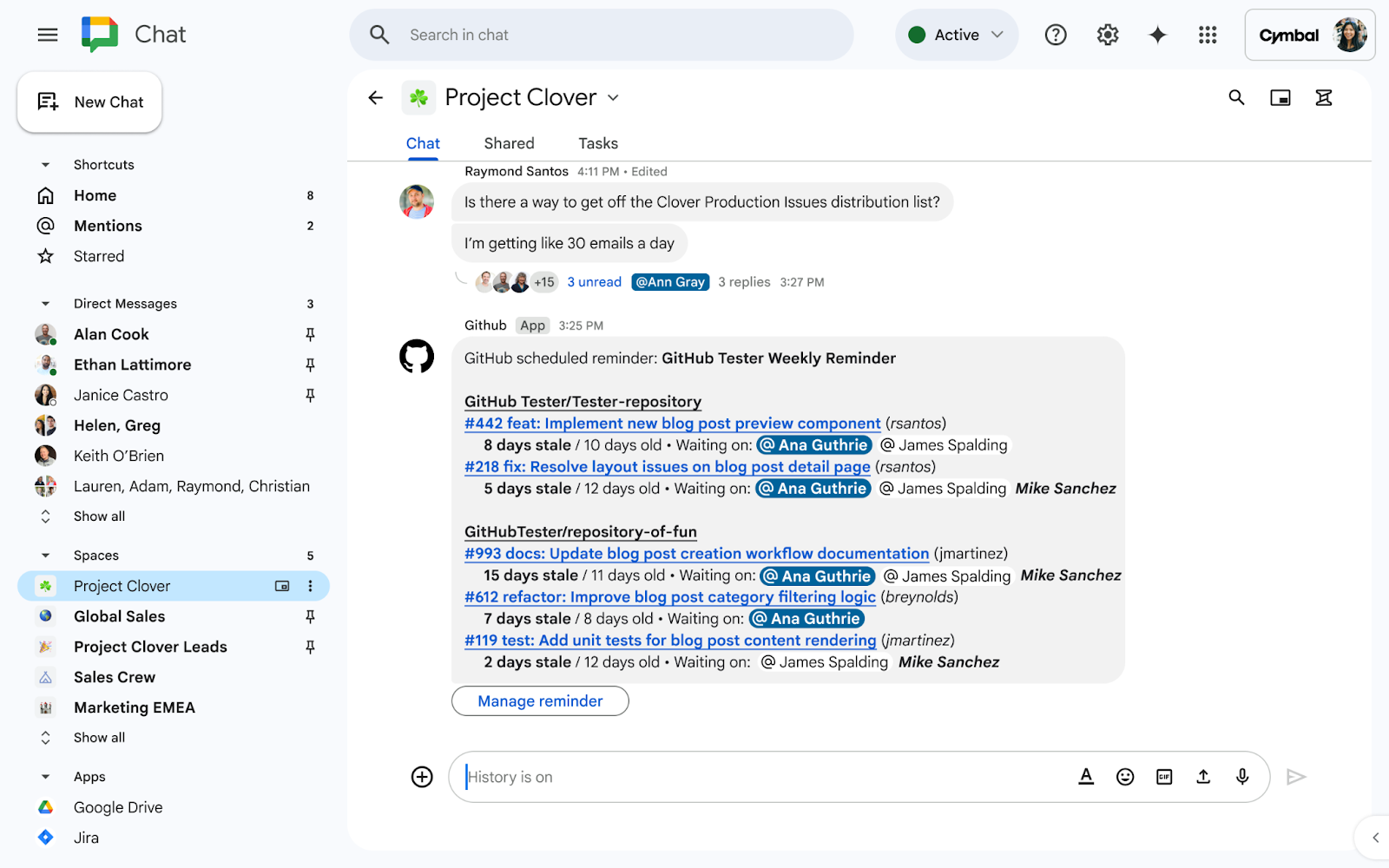
The official GitHub app for Google Chat brings repository events directly into your engineering spaces. You can subscribe specific spaces to specific repositories, filtering for only the events that matter (like PR reviews requested, merged PRs, or issue creations). This keeps the engineering team aligned without needing to constantly refresh GitHub.
Best for: Engineering teams and developers who want to keep PR velocity high and stay aligned on code changes in real-time.
4. Zapier — Best for complex, cross-tool workflows
The gap: Your team uses tools like Notion, Jira, Asana, or Salesforce, and Google Chat doesn't surface deadlines, blockers, or status changes without a dedicated integration.
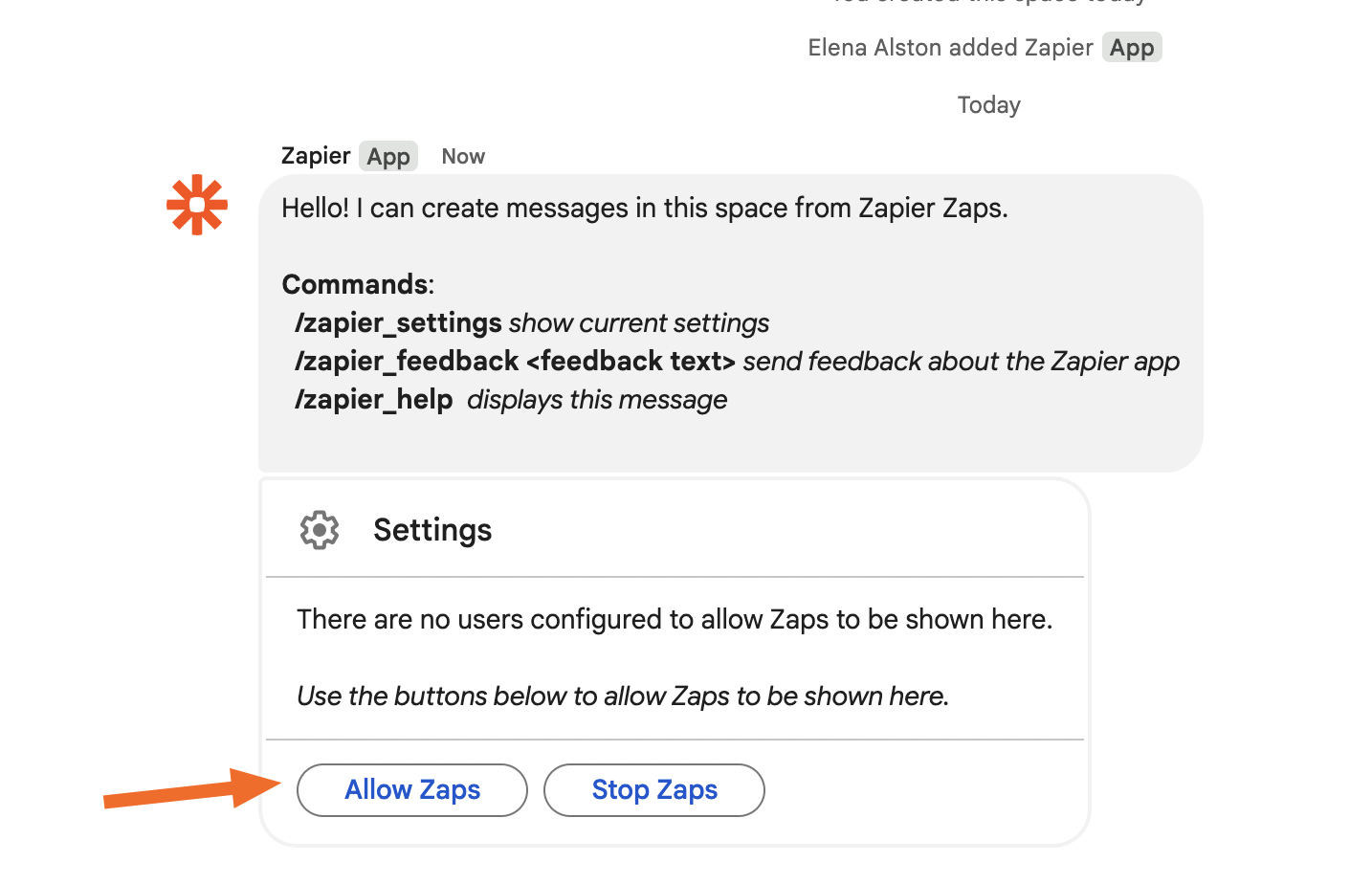
Zapier connects hundreds of other tools to Google Chat via automation workflows. It's incredibly powerful for complex multi-step scenarios — for example, "when a Jira ticket status changes to Blocked AND the assignee hasn't updated it in 48 hours, post to #engineering-alerts." The tradeoff is a higher setup complexity, ongoing maintenance, and monthly costs that scale with usage.
Best for: IT admins and operations teams with complex cross-tool workflows that need conditional logic and formatting.
5. Tribe — Best for team culture and bonding
The gap: Remote and hybrid teams lose the ambient social layer that office environments provide naturally — the birthday cupcakes, the "congrats on the promotion" moment, the coffee machine conversation. Google Chat has no native tooling for this.
Tribe is the only purpose-built team culture bot with first-class Google Chat support. It automates birthday and work anniversary celebrations, enables /kudos peer recognition, runs weekly icebreaker questions, and randomly pairs teammates for coffee chats — all natively inside Google Chat, Slack, and Microsoft Teams.
- Automated birthday and work anniversary posts in your team Space
- /kudos command for peer-to-peer recognition (posts under the sender's name)
- Weekly icebreaker / conversation prompt automation
- Coffee chat random pairing (schedules virtual intros between teammates)
- Free monthly allowance of every ritual at any size; $0.75/user/month (annual) to remove the caps
- 1-minute setup from the Google Workspace Marketplace


Best for: HR managers, people ops leads, and team managers who want culture programs to run automatically without manual coordination.
A note on the Google Chat app ecosystem vs Slack
Slack has a larger app marketplace — thousands of integrations vs hundreds for Google Chat. But the gap is narrowing, and in some categories Google Chat is actually better-served. The Workspace Marketplace's quality bar is higher (Google vets apps more strictly), so the signal-to-noise ratio is better than Slack's sprawling directory.
The categories where Google Chat apps lag Slack: advanced AI assistants, sales tooling (HubSpot, Salesforce), and HR platforms. The categories where Google Chat is well-served or better: native Workspace integrations (Docs, Drive, Calendar), developer tooling (GitHub, Jira), and — notably — the recurring message automation and team culture tools covered in this guide, where kaizynn's own products are purpose-built for Google Chat first.