


There's a certain kind of team that always seems aligned. Standups happen. Sprint reviews get attended. EOD updates roll in without anyone having to chase them. From the outside it looks like discipline. From the inside, it's usually just a handful of recurring Slack messages that run automatically — nobody types them, nobody forgets them, nobody dreads them.
Here are the 10 recurring Slack reminder messages that show up in the best-run teams, what each one does, and copy-paste templates you can use today.
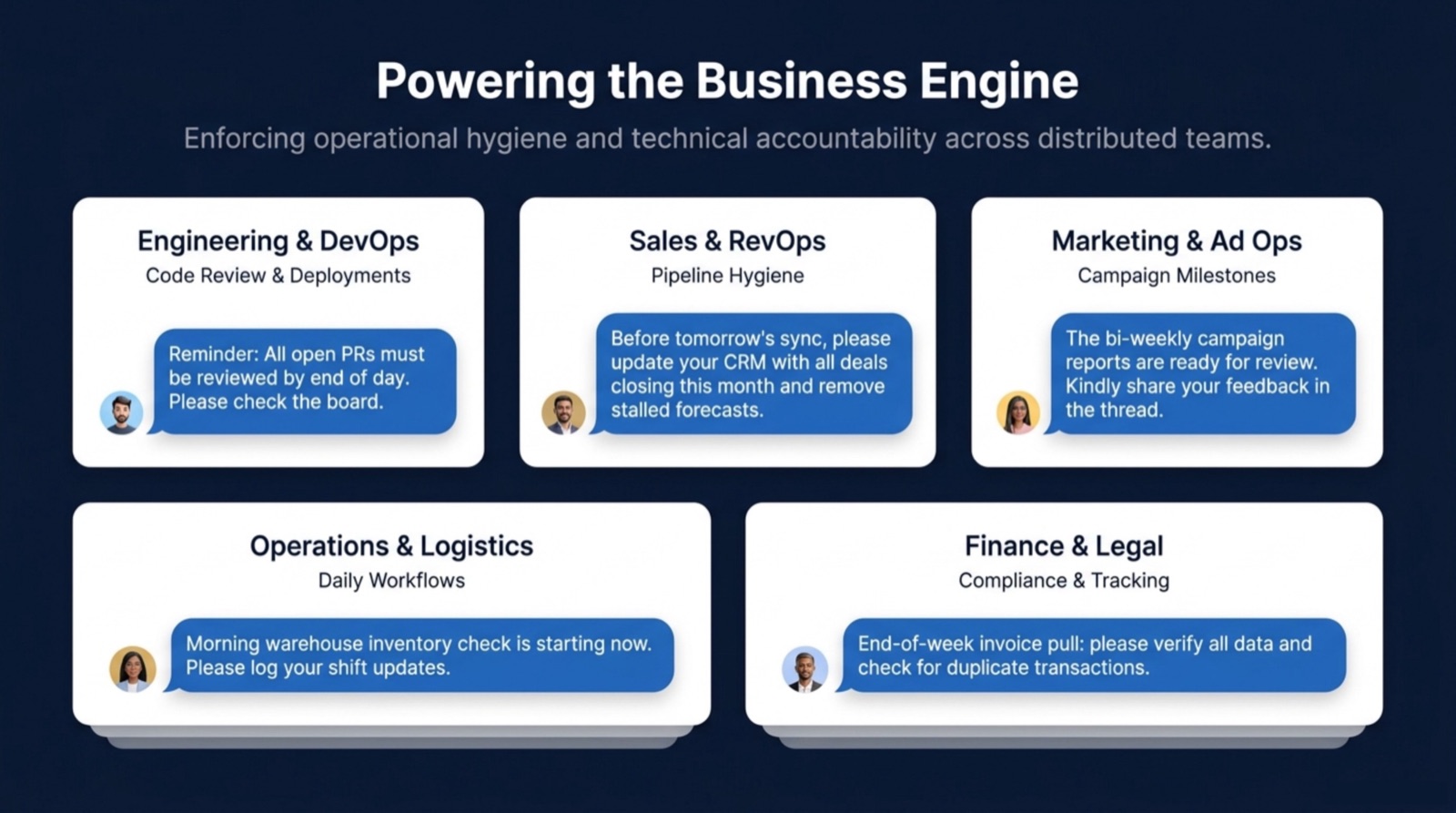
1. Daily standup prompt
The daily standup is the most common recurring message — and the most commonly botched. The mistake most teams make is sending it as a DM via a bot, which feels like homework. The version that actually works posts directly into the team channel, under a real person's name, so it reads as a message from a teammate rather than an automated interrogation.
Message Template
TemplateGood morning team! 👋 Drop your daily update: • What did you ship yesterday? • What are you working on today? • Anything blocking you? Feel free to reply in thread.
When to send: Weekdays, 9:00 AM. Best channel: Your main team or project channel. See the full standup template collection for formal, friendly, and short variants.
2. End-of-week wins recap
Remote teams especially suffer from invisible work — people ship things and nobody notices. A Friday wins prompt fixes this. It takes 30 seconds to answer and creates a public record of what got done. It also closes the week with positive energy instead of a ticket backlog.
Message Template
TemplateIt's Friday — drop your wins for the week! 🎉 • What are you most proud of shipping? • What did you learn? • Anyone you want to give a shoutout to? Have a great weekend 🙌
When to send: Fridays, 3:30 PM. Best channel: General or team channel. This one doubles as a culture builder — people actually look forward to it.
3. Sprint kickoff message
The first day of a sprint is when context gets lost. Engineers start pulling tickets before the goals are clear; product is still updating priorities; half the team doesn't know what the sprint theme is. A sprint kickoff message pins the context at the start instead of expecting everyone to have read the planning doc.
Message Template
TemplateSprint [N] kicks off today! 🚀 🎯 Sprint goal: [goal] 📋 Board: [link] 📅 Ends: [date] If your tickets aren't clear or you're blocked from starting, flag it here — let's not lose Day 1.
When to send: First Monday of each sprint. Set it once with a bi-weekly recurrence and it fires automatically every sprint.
4. Sprint retrospective reminder
Retros only work if people come prepared. Sending a reminder the day before with prompts — what went well, what didn't, what to try — means the retro itself is productive instead of a 30-minute silence punctuated by "yeah things were fine."
Message Template
TemplateRetro is tomorrow at [time]. Come ready with: • 1–2 things that went well this sprint 🟢 • 1–2 things that could be better 🔴 • One thing you want to try next sprint 💡 Jot them down tonight — even rough notes make the session 10x better.
5. Weekly pipeline review (sales teams)
For sales teams, a Monday morning pipeline prompt is what keeps CRM data accurate and the pipeline call productive. Without it, reps walk into the call with stale data and the first 20 minutes are spent doing what they should have done before showing up.
Message Template
TemplatePipeline Monday 🗓️ Before our call, please update CRM and reply here with: • Top 3 deals moving this week • Any at-risk or stalled conversations • Where you need support Updates due by 9:30 AM.
Full variants in the weekly pipeline review template.
6. On-call handoff message (engineering)
On-call rotations fail silently when the outgoing engineer doesn't brief the incoming one. A scheduled handoff prompt every Monday morning means the context transfer happens on schedule, not whenever someone remembers to ping someone.
Message Template
TemplateOn-call rotation reminder 🔔 @[incoming] takes over at 9 AM Monday. @[outgoing] — please share in thread: • Any open incidents or known issues • Anything to watch this week • Runbook links if anything unusual is active Handoff complete by 9:30 AM.
7. Monthly team retrospective prompt
Sprint retros cover the last two weeks. Monthly retros cover the bigger picture — team dynamics, process drift, things that have been quietly bothering people for a while. A monthly prompt creates the space for those conversations without putting it on the manager to organize every time.
Message Template
TemplateEnd of month — team reflection time 🗓️ Reply with one thing from this month: • Something you're proud the team did • Something you'd like to do differently next month • One shoutout to a teammate No pressure to write an essay — a sentence or two is perfect.
8. Design critique submission reminder
For design teams, critique sessions only have value if people bring work. A day-before reminder asking designers to drop their Figma links and one specific question they want answered transforms a meandering conversation into a focused session.
Message Template
TemplateDesign critique tomorrow at [time] 🎨 Drop your work here before EOD: 🔗 Figma/file link ❓ One specific question you want feedback on 📍 Stage: concept / iteration / near-final No submission = no airtime.
More design templates in the design critique reminder page.
9. Customer success weekly check-in
CS teams that don't have a weekly account review ritual tend to operate reactively — they find out about churn risk when the customer is already walking out the door. A Tuesday morning prompt asking CSMs to flag at-risk accounts catches problems while there's still time to act.
Message Template
TemplateCS weekly check-in 📋 Quick review before the week gets busy: 🟢 Any healthy accounts with expansion potential? 🟡 Any accounts showing risk signals? 🔴 Any escalations that need team support? Drop flags here — let's help each other before tickets appear.
10. The 'anything blocking you?' mid-week nudge
This is the simplest one on the list and often the highest-leverage. A Wednesday mid-week check-in gives team members a low-pressure moment to surface blockers they've been sitting on without wanting to interrupt someone. It also gives the manager visibility into problems before they become emergencies.
Message Template
TemplateMid-week check ⚡ Drop in thread if any of the following apply: • Blocked and waiting on someone • Something taking longer than expected — need help? • Anything you need a decision on before Friday Otherwise, heads down — let's finish the week strong.
How to automate all of these
Every message above follows the same pattern: someone types it manually on a schedule, week after week, until they forget or burn out. The fix is to automate them with Schedule Message. You write the message once, set a recurrence (every Monday, every other Friday, last day of the month), and it sends automatically — under your name, in the right channel, at the right time.
Setup takes about 90 seconds per message. The standup you've been typing every morning for six months can be automated before your next coffee.
| Message | Channel | Day | Time |
|---|---|---|---|
| Daily standup prompt | Team / project channel | Weekdays | 9:00 AM |
| End-of-week wins recap | General or team channel | Friday | 3:30 PM |
| Sprint kickoff message | Engineering channel | Every other Monday | 9:00 AM |
| Sprint retro reminder | Engineering channel | Day before retro | 3:00 PM |
| Weekly pipeline review | Sales channel | Monday | 8:30 AM |
| On-call handoff | Engineering / ops channel | Monday | 9:00 AM |
| Monthly team retro | Team channel | Last Friday of month | 2:00 PM |
| Design critique reminder | Design channel | Day before critique | 10:00 AM |
| CS weekly check-in | CS channel | Tuesday | 9:00 AM |
| Mid-week blocker check | Team channel | Wednesday | 11:00 AM |
Frequently asked questions
What is a recurring Slack message?
Can Slack send a message automatically on a schedule?
What should a daily standup Slack message include?
How do I get my team to actually respond to Slack reminders?
Do these reminder messages work in Google Chat too?
The best team rituals aren't the ones people remember to do — they're the ones that happen automatically, every time, whether or not anyone remembers. Pick two or three from this list and set them up today. Your Monday-morning self will thank you.